Beta Free while we're on the launch pad

Tasks, mail,
and calendar.
One honest place.

Missn is a quiet productivity app for people who are tired of switching between four of them. Named after mission control — built for the kind of focus that needs one. Local-first, on-device, off when you are.

Three in one
Tasks · Mail · Calendar
Intelligence
Runs on your device
Off Duty
Work logs off, you do too
Platforms
iPhone · iPad · Watch · macOS · Android in beta
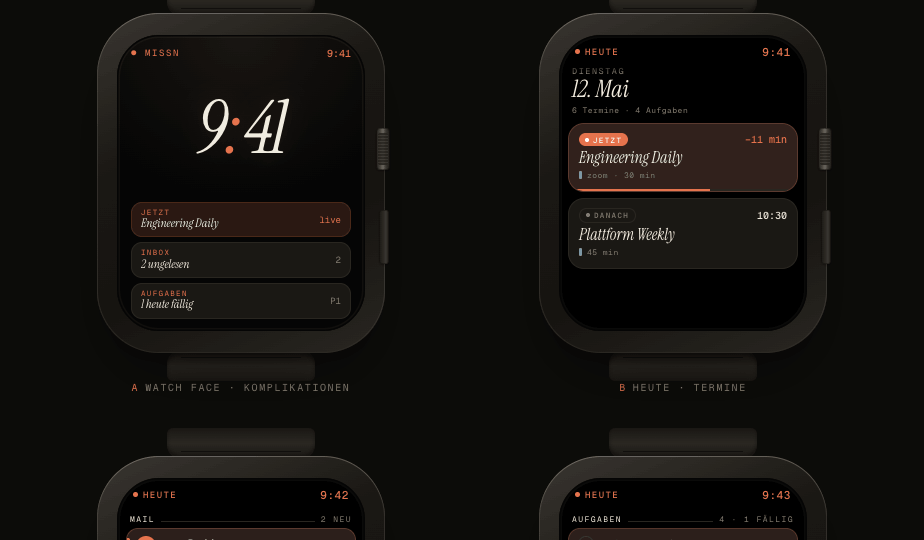
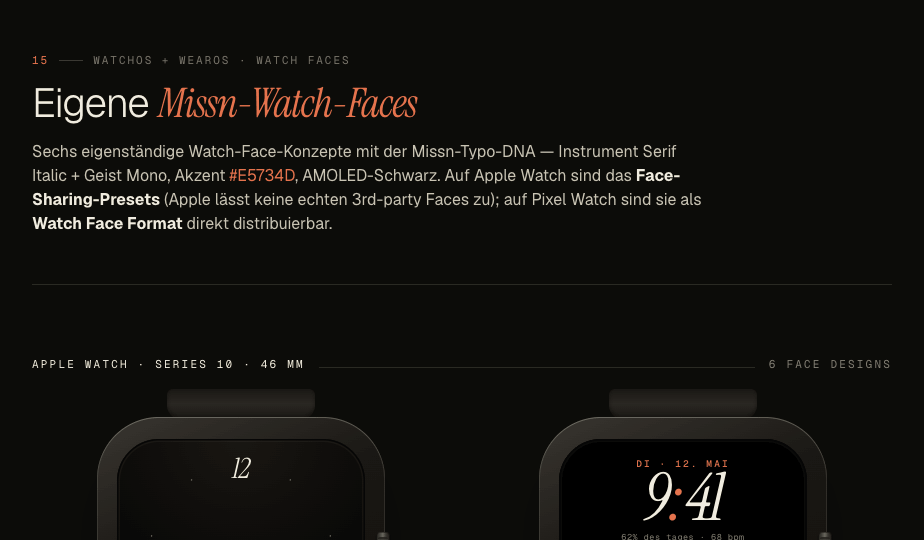
Six Missn watch faces — italic serifs on AMOLED black, rendered on Apple Watch and Pixel Watch.
Watch faces, by us

Six designs. Italic serifs, brand orange,
AMOLED black. Six designs, two platforms.

Most productivity apps live in a complication slot. Missn ships six watch faces of its own — with the next event, unread mail, and today's task front and centre. The whole brand on your wrist.

In testing
01 Getting started

Up and running
in about three minutes.

No onboarding maze. No "tell us about your team" slideshow. Install, connect a single account, and Missn is useful before you've finished your coffee.

i.

Install Missn

One download for the device in your hand. iPhone, iPad, or Apple Watch — sync the others later. macOS lands next.

ii.

Connect an account

Sign in to Google or Microsoft. Mail and calendar are pulled in. Tasks are local. Nothing is sent anywhere it doesn't need to be.

iii.

Start your day

Open Today. You'll see what's due, what's coming, and what's worth doing first. From there it's keyboard, drag, repeat.

02 What's inside

Everything you need.
Nothing you don't.

Built around how you actually work, not what an app store thinks you should want. Six things, done properly.

Kanban that's actually quiet.

Drag, drop, type a sentence — that's the whole interaction model. "Call Sarah tomorrow at 3" becomes a task with a date. Critical, high, medium, low. Tags for projects and customers when you want them, invisible when you don't.

TO DO4
Review Q2 deck
Set up onboarding
DOING2
Pricing page
DONE6
Deploy v1.2
Quick capture.

One tap on the rocket from anywhere — a task, an event, an idea, a note, an email. Out of your head and into orbit.

Task Event Idea Note Email
five quick actions, one tap each

Mail without the fanfare.

Gmail and Outlook in one place. Snooze, scheduled send, undo send, VIPs. The keyboard shortcuts you already know — and the ones you wish you had.

  • multi-account · gmail + outlook
  • snooze + scheduled send
  • undo send (8s, 16s, 30s)
  • vip inbox + focus mode

Calendar that reads English.

Type "lunch with Mira Thursday 1pm at Modesto" and you're done. Day, week, month, agenda. Recurring events. Conference links auto-fill.

  • day · week · month · agenda
  • natural language event entry
  • auto zoom / meet / teams urls
  • recurring + exceptions

Native on the Apple devices you carry.

Not one app stretched three ways. SwiftUI on iPhone and iPad. A Watch face that does glances, not nags. Mac is in the hangar — landing next.

iPhone iPad Apple Watch macOS · soon

Local intelligence.

Briefings, summaries, drafts. Apple Intelligence and Gemini Nano, running on your device. No clouds, no copies, no compromise.

03 Everywhere you work

Wherever you are.
Wherever you aren't.

iPhone and iPad today. macOS, Android and Wear OS are in active testing — same design system, same Off Duty rules, no second app to learn.

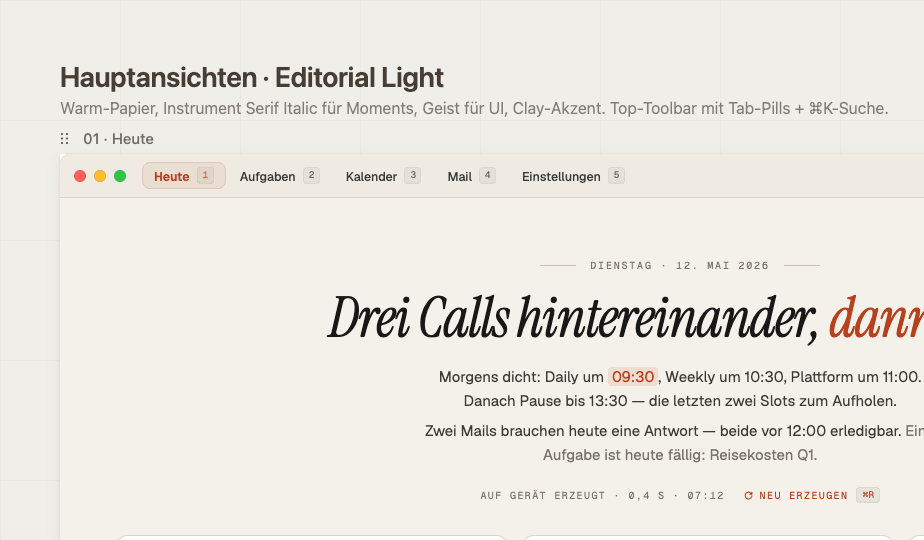
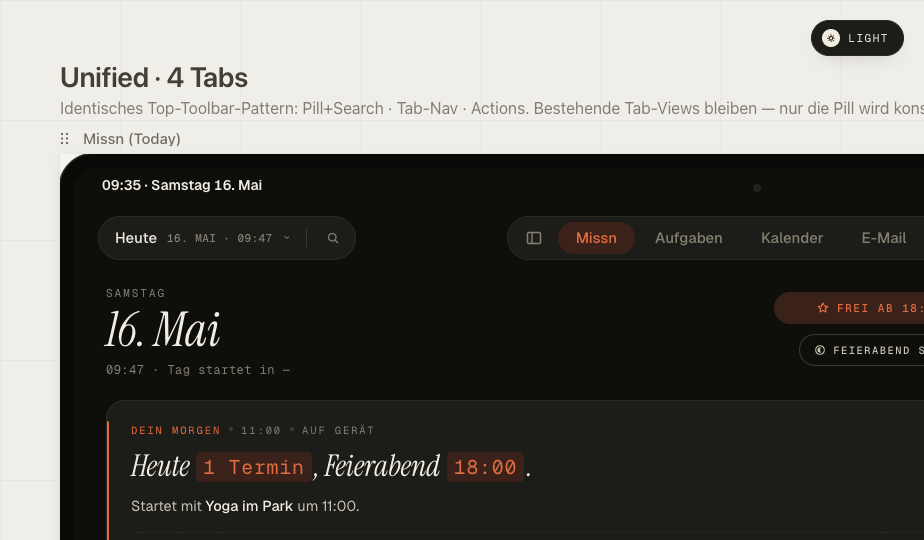
Missn for iPad — unified pill-toolbar, four tabs, day overview.

iPad

Designed for the keyboard. A single pill-toolbar, four tabs, command palette under ⌘K. Not a stretched iPhone.

Missn for macOS — editorial day overview with menubar widget.

macOS

In testing

A proper desktop app, not an iPad wrapper. Window chrome, real keyboard nav, and a menubar widget that shows your day — quietly.

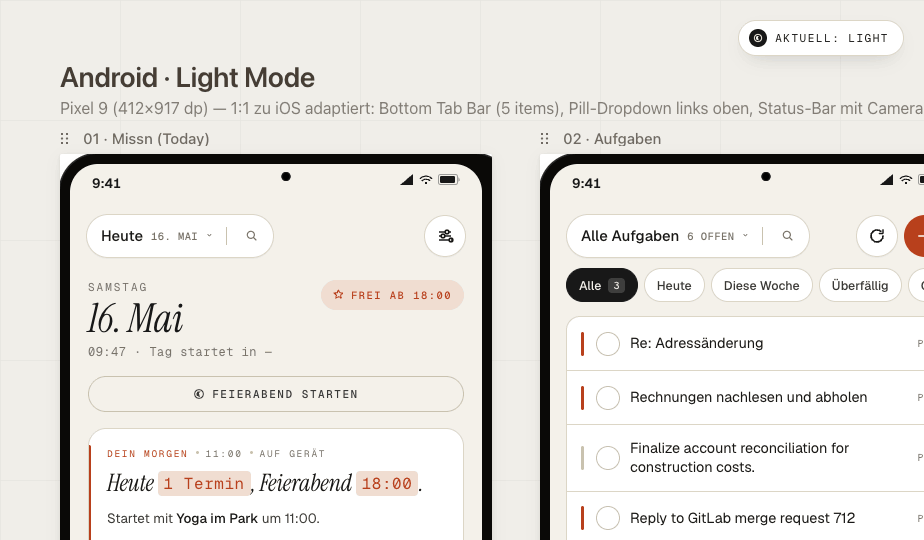
Missn for Android — Pixel 9, light + dark.

Android

In testing

Material 3 where it makes sense, missn where it matters. Same brand orange, same italic serifs, same Off Duty hours.

04 At your wrist

The day, glanceable.
In a heartbeat.

Apple Watch and Pixel Watch get the same three signals — next event, unread mail, today's task. Plus six custom Missn faces and proper complications for both platforms. Both currently in testing.

Missn for Apple Watch — Heute tab with running event, mail, and tasks.

Apple Watch

In testing

One Krone-Bahn, three signals. Inline + circular + rectangular + corner complications. Tap a row to reply with AI or join the call directly.

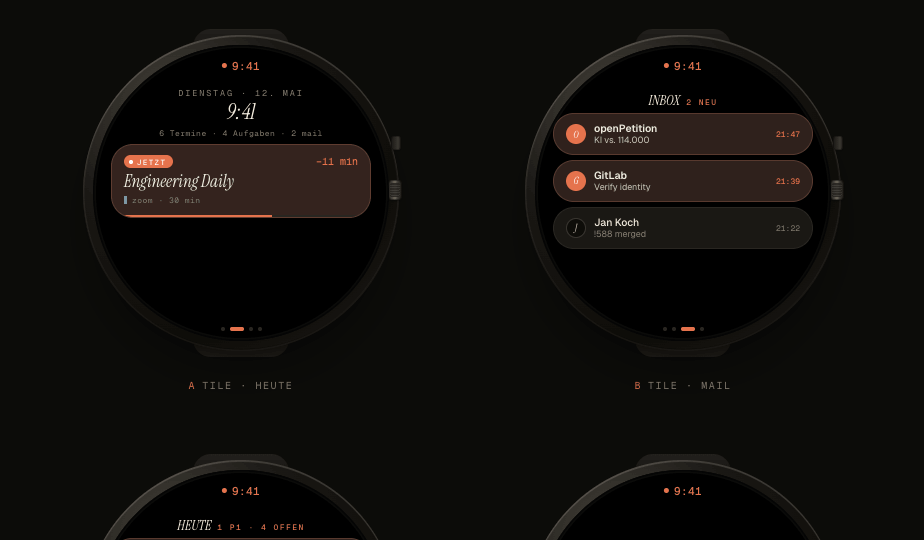
Missn for Pixel Watch — round-display Tiles for Heute, Mail, and Aufgaben.

Pixel Watch (Wear OS)

In testing

Three Tiles, one swipe away from the watch face. Material 3 Expressive pills hug the bezel; a Watch Face Format bundle ships missn's own faces.

05 Off Duty

Work stops.
Life continues.

Set your hours. After them, work accounts go quiet. Personal accounts don't. It's the difference between an app that respects you and one that doesn't.

  • Set custom working hours per day. Different on Friday? Fine.
  • Work mail, work calendar, work notifications — silenced after hours.
  • Personal accounts remain live. Your mum can still reach you.
  • One identity on the Mac, another on the Watch. Or none, on the Watch.
  • One-tap "extend by an hour" if tonight really is one of those.
06 Local intelligence

It runs on your phone.
That's the whole point.

Apple Intelligence and Gemini Nano live on-device. Your mail, your calendar, your tasks never leave the hardware in your pocket. We don't have a copy. There's no model to query later, no training corpus we owe you a footnote about.

Morning briefing · 07:12
Three priority threads to clear before 11. Two tasks slipped from yesterday — both small. Your afternoon is the investor update; you marked it important on Sunday.
generated · on device0.4s
Draft reply · to Sarah Chen
"Thanks for the review. I'll fold the onboarding feedback in and send a fresh pass Thursday. The pricing copy you flagged — agreed, it's too soft. Will tighten." — matches your usual sign-off
draft · not sentedit before sending
Task extracted · from Tom
"Send updated Android build specs by Friday." Added to In Progress, due tomorrow, tagged android-build. Source email linked.
extracted · pending reviewundo
Thread summary · 14 messages
Q2 launch is locked for May 28. Design freeze Friday. Open question: whether the watch app ships day one or follows in 1.2 — Sarah leans follow, Tom leans ship. No decision yet.
summarised · 0.6sread full thread
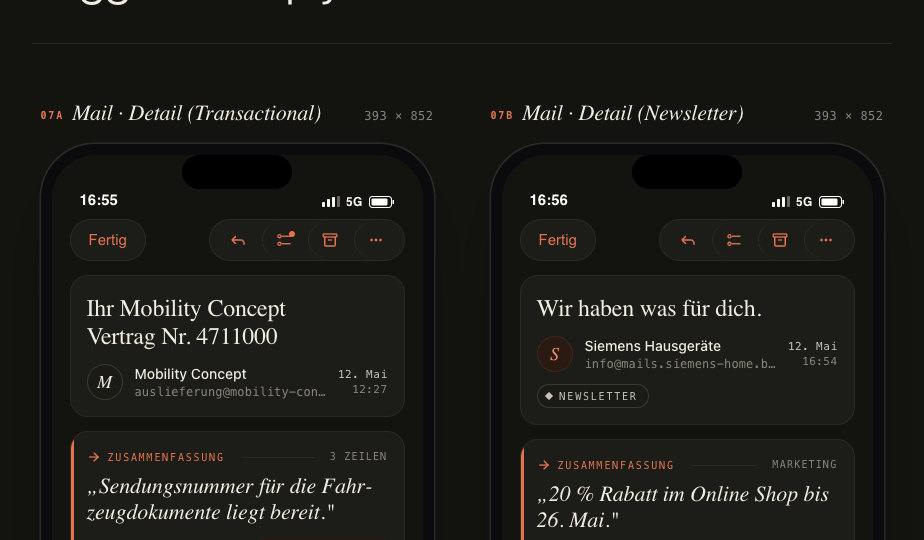
Mail detail screen showing a four-line AI summary of a customer-service email — generated on-device.
Mail Detailgenerated on this device · 0.4s

Four-line summaries.
No model in the loop.

Every long thread gets a short, honest summary at the top of the mail view. Apple Intelligence or Gemini Nano — whichever your phone has — reads the thread, writes the four lines, and forgets. Nothing leaves the device.

07 Pricing

Simple, the
honest way.

Free while we're in beta — every plan, every feature. When we ship, free stays useful and the paid tiers are priced like a coffee, not a subscription.

Free
€0/ forever

Everything you need to keep a day in order. No credit card.

  • Kanban task boards
  • Local calendar
  • iPhone, iPad & Apple Watch
  • 30 days of history
Pro
€2.99/ month

For one person, every device, every account.

  • Everything in Free
  • One email account
  • On-device briefings & drafts
  • VIP inbox + focus mode
  • macOS app when it ships
  • Unlimited history
Business
€5.99/ month

For people running more than one inbox at once.

  • Everything in Pro
  • Three email accounts
  • Shared VIP rules
  • Priority support
08 One last thing

A productivity app
that lets you, occasionally,
not be productive.